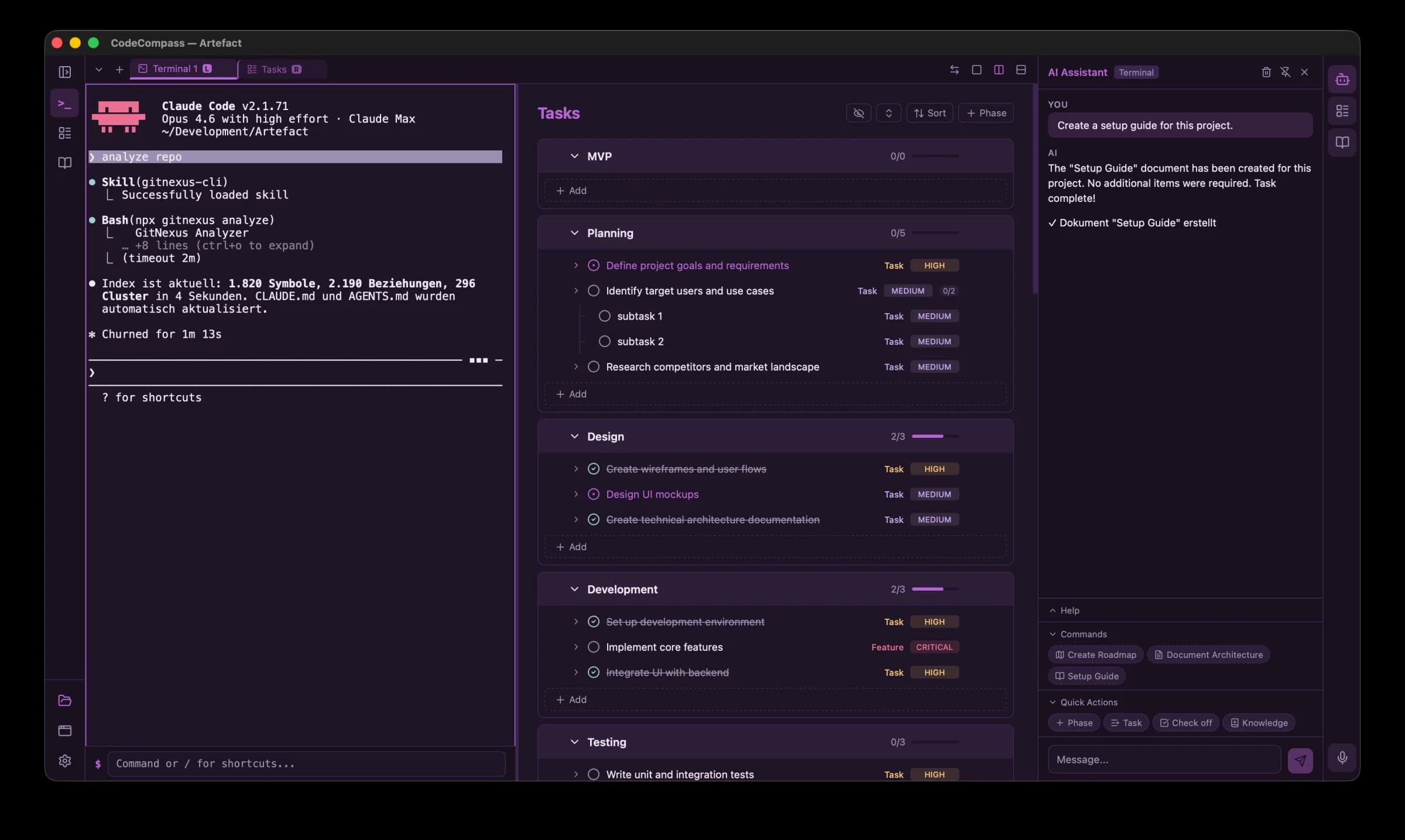
Terminal, task management, knowledge base, and AI assistant — one app to plan, steer, and build.
Everything you need
A complete dev cockpit — terminal power, project planning, and AI assistance in one native app.
Terminal
Full PTY Terminal
Powered by xterm.js v6. Multi-tab with rename, drag & drop reordering, and dropdown search.
Split Panes
Horizontal and vertical splits with resize. Combine Terminal + Tasks or Docs side by side.
Multi-Window
Open multiple windows and transfer tabs between them via drag & drop.
Command Bar
Per-pane command bar for quick input. Type without interrupting terminal output.
Custom Fonts
Configurable font family and size with live preview and font availability detection.
Code Agent Integration
Delegate tasks to Claude Code or Aider in the terminal. Supports local Ollama models.
Planning & AI
Tasks & Phases
Organize work in phases and tasks with tri-state status: Open, In Progress, Done.
Subtasks
Break down tasks into subtasks with expand/collapse and progress tracking.
Drag & Drop
Reorder tasks and phases with drag & drop. Bulk operations for fast management.
Knowledge Base
Markdown editor with split preview, image support, categories, and document templates.
AI Assistant
Streaming chat with tool calling. Creates phases, tasks, and docs directly. 4 LLM providers.
Voice Input
Local speech-to-text via whisper.cpp (offline) or OpenAI Whisper API. Works everywhere.
General
Spotlight Search
Cmd+F to search across tasks, docs, and terminals. Find anything instantly.
Themes
6 color schemes with light, dark, and auto mode. Designed for long coding sessions.
Keyboard Shortcuts
Full keyboard shortcuts for every action. Cmd+T, Cmd+W, Cmd+1-9, and more.
Multi-Language
English and German interface. AI prompts adapt to your chosen language.
Private & Local
All data stays on your Mac. Voice processing runs locally. No cloud, no tracking.
Native Performance
Built with Tauri 2 and Rust. Fast startup, low memory, native macOS integration.
See it in action
A clean, focused cockpit designed for the way you work.
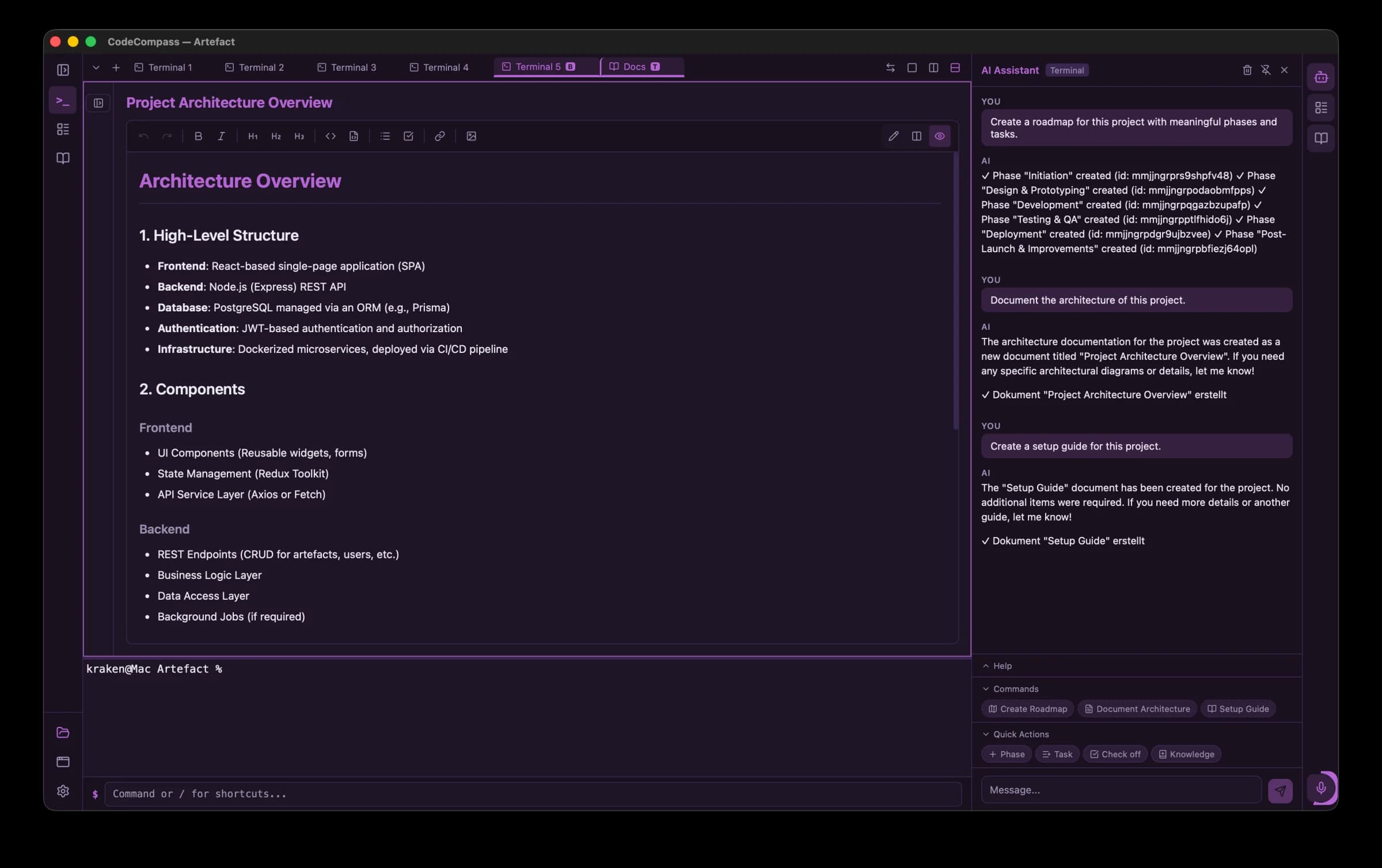
Docs + Terminal + AI Assistant
Ready to try CodeCompass?
Free to download. No account required. Requires macOS 15 Sequoia or later.
Version 0.1.4 · March 14, 2026